Don't Be a Target: How to Use Security Features to Avoid Scams
🤔 Maximize your online dating safety by utilizing built-in security features. Learn how profile settings, reporting tools, and blocking options can protect…
Read article
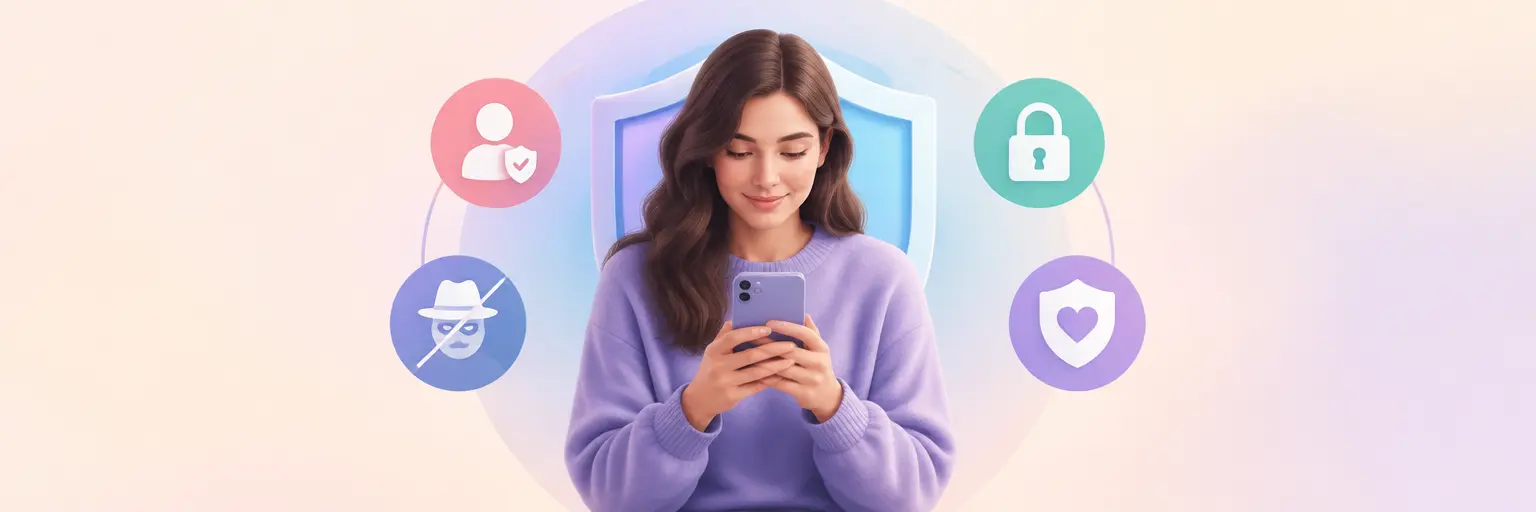
Dating app security features are your first line of defense in the digital dating world, and understanding them is key to avoiding scams and staying safe while connecting with potential partners. From photo verification and two-factor authentication to in-app reporting tools and encrypted messaging, these built-in safeguards help you verify authenticity, block suspicious users, and protect your personal data. By mastering these tools, you can confidently filter out fake profiles, spot red flags early, and enjoy a more secure online dating experience. Don’t just swipe—arm yourself with knowledge about how platforms protect you, so you can focus on building genuine connections without compromising your privacy.
🤔 Maximize your online dating safety by utilizing built-in security features. Learn how profile settings, reporting tools, and blocking options can protect…
Read article
🤔 Master online dating safety with our comprehensive dating app safety settings guide. Learn how to adjust privacy controls, block unwanted users,…
Read article
🤔 Dating app safety features are your first line of defense. Learn how to utilize built-in tools like blocking, reporting, and verification…
Read article
🤔 Boost your dating app safety with our comprehensive guide. Learn how to adjust privacy settings, control who sees your profile, and…
Read article
😊 Navigate the world of online dating confidently! This user-friendly guide demystifies app security, offering essential online dating safety tips to help…
Read article
🤔 Navigate the exciting world of online dating confidently! This article delivers essential online dating safety tips to protect your personal information…
Read article
🤔 Master online dating app safety with our expert guide. Learn how to utilize built-in security features and third-party tools to protect…
Read article
🤔 Protect yourself from online dating scams by understanding and utilizing your dating app's safety features. Robust security settings are your first…
Read article
🤔 Navigate the world of online dating safely! This article dives deep into essential security features of dating apps, offering crucial online…
Read article
🤔 Dating app privacy protection tips are crucial for safe online dating. Learn how robust security features on leading apps safeguard your…
Read article
🤔 Navigate the world of online dating safely with our comprehensive dating app safety features guide. Learn how to utilize built-in security…
Read article
😊 Reclaim control over your online dating experience. Our expert online dating privacy safety tips empower you to utilize crucial security features,…
Read articleNavigating online dating in 2025 requires more than a great profile—it demands a working knowledge of the security tools built into your favorite apps. This subcategory, part of our Avoiding Scams & Staying Safe series at OnlineDatingSuccess.org, breaks down exactly how to leverage reporting mechanisms, blocking tools, photo verification, and privacy settings to protect your identity and heart. Whether you’re a seasoned swiper or new to virtual courtship, mastering these features transforms you from a passive user into an empowered, safety-conscious dater. Let’s unpack the digital armor that every serious online dater should wear.
Photo verification is your first line of defense against catfishing and fake accounts. Apps like Tinder, Bumble, and Hinge now offer real-time selfie checks that compare your live image to profile photos, flagging mismatches. This feature significantly reduces the risk of meeting someone who isn’t who they claim to be. You should always prioritize matches with verified badges, but remember: verification isn’t foolproof, so combine it with other safety checks.
When you enable photo verification, your profile gains a blue checkmark that signals authenticity to potential matches—boosting your credibility and attracting genuine users. On the flip side, always ask your match to verify if they haven’t, especially before moving to an off-app conversation. A scammer often refuses to verify, citing privacy or technical problems. If they hesitate, treat that as a red flag and proceed with extreme caution or unmatch entirely.
Every reputable dating app includes one-tap reporting and blocking, but most users underutilize these powers. Reporting triggers a moderation review, which can lead to account suspension if the person violates community guidelines—from harassment to solicitation. Blocking instantly severs communication, preventing further messages, profile views, or new accounts from the same user. Have you ever felt uneasy but hesitated to report? Don’t—your report protects other users in your community, creating a safer ecosystem for everyone.
Beyond the basics, learn the app’s specific reporting categories, such as “fake profile,” “off-platform request,” or “inappropriate content.” Many apps now allow you to submit screenshots as evidence, making your report more actionable. Additionally, after blocking, consider tightening your privacy settings so that users who match with you cannot see your full profile or location details until you feel comfortable. This layered approach ensures that even a persistent harasser cannot re-engage with you through secondary or linked accounts.
Modern dating apps offer granular privacy options that let you control your digital footprint. For example, you can restrict who sees your exact distance, hide your age, or turn off your profile’s visibility to friends of friends. Premium subscriptions often include Incognito Mode or “Only Show Me to People I’ve Liked,” which prevents random strangers from stumbling upon your profile. These features are essential for introverts, public figures, or anyone wanting to date without broadcasting their intentions to their entire social circle.
Additionally, leverage the “block contacts” feature—available on apps like Hinge and Bumble—to automatically hide your profile from your phone’s contact list. This prevents awkward encounters with exes, colleagues, or relatives. Review your privacy dashboard monthly, as apps update their settings frequently. Remember, the default settings often favor visibility for engagement, not your safety. Adjust them proactively to match your comfort level, and never include your last name, workplace, or home address in your bio or early conversations.
Dating apps embed monitoring algorithms that scan for scam patterns—fake links, requests for money, or suspicious phone numbers. By keeping conversations within the app, you benefit from this automated protection. Many users rush to WhatsApp or Google Voice for convenience, but this strips away the app’s safety net. Stay on the in-app chat until you’ve established a baseline of trust, ideally after meeting in person. Scammers often push for off-platform communication to evade detection, so that pressure is a major warning sign.
Apps also offer time-limited photo sharing or expiring messages, which reduce the risk of screenshot misuse. For instance, Bumble’s “Private Detector” blurs unsolicited explicit images, while Tinder’s “Does This Bother You?” prompt appears after a rude message, offering quick reporting and blocking. Make it a habit to use these embedded prompts rather than enduring abuse silently. If a match asks for your personal email or social media within the first three messages, politely decline and see how they react—a genuine dater respects boundaries, while a scammer becomes pushy or defensive.
Before meeting in person, use the app’s built-in features to share your date details with a trusted friend. Hinge, Bumble, and Tinder now partner with services like Noonlight, allowing you to trigger a live location share or emergency alert through the app itself. You can also set a “check-in” reminder that pings your friend after a set time, ensuring someone knows you’re safe. Never rely on the date’s friend to monitor you—use your own independent channel.
Additionally, many apps now offer “video date” options before an in-person meeting, letting you gauge chemistry and verify appearance without revealing your location. Leverage this feature for the first interaction, as it drastically reduces the chance of meeting a bot or a ghost. After the date, use the app’s feedback tools to rate your experience—this informs future matches about your safety preferences. Always remember: the app’s security tools are only effective if you actively use them. Take five minutes before every first date to configure your safety settings, not just once. Your vigilance is your strongest asset in the online dating journey.
Yes, most major apps use machine learning to flag suspicious behavior, such as rapid-fire messages, links to external sites, or repeated requests for money. However, detection isn’t perfect, so always verify matches manually using the app’s tools like photo verification and reporting. Trust your instincts over any algorithm—if something feels off, report and block immediately.
No, it’s safer to wait until after a successful in-person meeting. Scammers often need your phone number to initiate phishing texts or spoofed calls. Use the app’s call or video chat feature for initial conversations. If you must exchange numbers earlier, use a Google Voice number that doesn’t reveal your personal details.
Do not engage in a conversation. Immediately block and report the profile using the app’s built-in buttons, and choose the specific reason like “suspicious or scam.” This removes their ability to contact you and helps the platform warn others. Also, consider tightening your profile visibility settings to reduce future scammer views.
Yes, if privacy is your priority, especially in a small city or high-profile career. Incognito mode ensures only people you swipe right on can see your profile, drastically reducing unsolicited messages and stalker risk. Weigh the cost against your comfort level—for many, the psychological safety outweighs the subscription fee.
Look for a blue checkmark or “Verified” badge next to the user’s name. This indicator means the user completed a live selfie match against their profile photos. Still, verify the badge is current—some apps remove it after a profile edit. Never rely solely on the badge; combine it with video calls and cross-reference their social media if they’ve willingly shared it.